There is no native way to do it. App Store Connect only accepts builds made with Xcode 26 and the iOS 26 SDK, and Xcode runs on macOS, full stop. The upload step is a different story. Since WWDC25 the App Store Connect API accepts a finished .ipa over plain REST, and Apple's command-line Transporter runs on Windows and Linux. None of that helps until something with a Mac produces the signed .ipa in the first place. That leaves two working setups: rent a Mac in CI (GitHub Actions macOS runners, MacStadium, EC2 Mac instances), or hand the build to a service that operates Macs for you and turns a pushed git ref into a TestFlight build.
Answer capsule: "Transporter requires macOS" is just the first wall you hit; the binding constraint is that only Xcode on a Mac can build and sign an App Store .ipa. Apple made uploading portable (the App Store Connect API and command-line Transporter both work from Windows and Linux) but building stayed on the Mac. Either rent a cloud Mac runner and wire signing secrets into CI, or connect your coding agent to Lance with
npx add-mcp https://api.lance.app/mcpand push a git ref. Lance's Mac fleet builds, signs, uploads to TestFlight, and returns a typed receipt, identically from Windows, Linux, and CI.
Why there is no native path from Windows or Linux
Two Apple requirements pin the build to a Mac. Since April 28, 2026, App Store Connect rejects any upload that was not built with Xcode 26 or later and an iOS 26 SDK. Xcode 26 itself requires macOS. Distribution signing lives in the same toolchain, and the SDK floor is enforced at upload time against metadata stamped into the binary at build time, so there is nothing to patch afterwards. Cross-platform frameworks do not route around this; Flutter and React Native still hand the iOS target to xcodebuild.
Once you accept "a Mac must build it" as a hard rule, the question stops being about your laptop's operating system and becomes about where that Mac lives and who maintains it.
What Apple's upload tools run on in 2026
Most advice on this is out of date in one direction or the other, so here is the tool-by-tool state.
| Tool | Runs on | Off-Mac reality |
|---|---|---|
| Transporter app | macOS only | The drag-and-drop app from the Mac App Store. This is the "requires macOS" wall most people hit first. |
| iTMSTransporter CLI | macOS, Windows 11+, Red Hat Enterprise Linux | Uploads an .ipa with -assetFile, but on Windows and Linux it also requires -assetDescription, an AppStoreInfo.plist that Xcode exports on the Mac that built the app. |
| altool | macOS, ships with Xcode | The notary service stopped accepting it in November 2023 and notarytool took that job, but App Store uploads still work. Either way it never left the Mac. |
| notarytool | macOS | Notarizes Mac software distributed outside the store. It has nothing to do with TestFlight or .ipa files. |
| App Store Connect API | Any OS | New since WWDC25. Create a buildUpload, register the file, PUT the binary to Apple's presigned URLs, mark it uploaded. Plain REST with a JWT. |
| fastlane | Upload off-Mac, build on Mac | pilot can upload from Linux and Windows since fastlane 2.230.0 (December 2025), given that same AppStoreInfo.plist. gym, the part that builds, needs Xcode. |
Every row reduces to the same dependency. The portable paths all start from a signed .ipa, plus metadata, that Mac-side tooling already produced. Apple made uploading portable and left building exactly where it was. Even the fastlane maintainer who merged the Linux upload support noted that the Mac build remains the expensive part of the pipeline.
Renting a Mac in CI
The standard workaround is a macOS runner billed by the minute. GitHub Actions has them on tap: free on public repos with standard runners, a 10x minute multiplier on private ones, $0.062 per minute against $0.006 for Linux. MacStadium leases dedicated Macs. EC2 Mac instances bill per second but carry a 24-hour minimum per host, a condition of Apple's macOS license.
The runner is the easy half. The hard half is signing. Your distribution certificate, provisioning profiles, and an App Store Connect API key all have to reach that runner, which in practice means fastlane match with an encrypted repo or a pile of base64 blobs in CI secrets, plus an Xcode version to pin and signing failures to debug through CI logs. Teams that already run an iOS pipeline absorb this fine. For a developer on Windows or Linux shipping a first app, it is a lot of infrastructure whose only output is one file.
For Expo and React Native projects specifically, hosted build services wrap that runner for you: EAS Build runs the iOS build on Expo's Mac workers and can submit to TestFlight, and Codemagic does the same for bare React Native. Both are solid answers to the build problem. What they don't do is operate App Store Connect itself, so the listing, in-app purchases, review responses, and rejection fixes stay manual, and native Swift projects are outside EAS entirely.
Push a git ref, get a TestFlight build back
Lance comes at the constraint from the other end. Instead of you renting a Mac and teaching it to sign, Lance runs its own Mac fleet and exposes it to coding agents over MCP. Setup is one command:
npx add-mcp https://api.lance.app/mcp
The flow after that is git-native. Your agent calls the stage_build tool with the app's bundle id and receives a private, short-lived git remote for that one app, along with the next build number read live from App Store Connect. Push the staged ref from wherever git runs, Windows, Linux, or a CI job, and the push itself starts the build. The fleet checks out your ref, builds and signs it, uploads it to TestFlight, and returns a typed receipt to your agent. Re-staging the same app reuses the remote, so after the first push a one-line fix transfers kilobytes, not a fresh source archive.
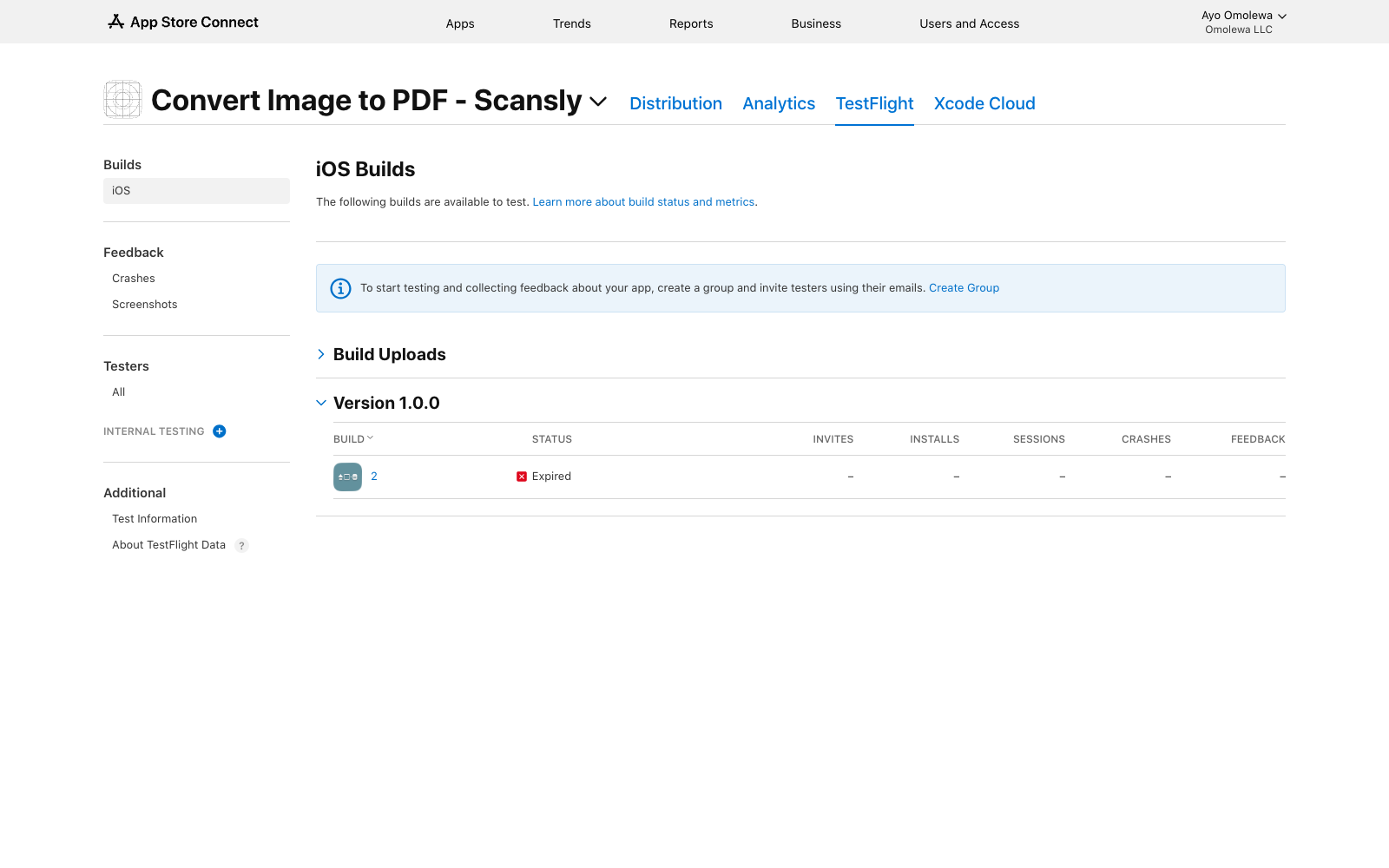
Where uploads land either way: the app's TestFlight tab. Each build appears under its version once Apple finishes processing.
The parts that make the CI route painful are missing here. Signing certificates and upload credentials stay on the fleet, so nothing sensitive lands in your repo or your CI secrets. There is no Xcode to install or pin. And because the interface is MCP, "get this build onto TestFlight" is a sentence you type at your agent rather than a YAML pipeline you maintain. Connecting is free with no credit card required; the install guide covers Claude, Cursor, and the other MCP clients.
If your situation is the reverse, a Mac on the desk and uploads you want automated, see automating TestFlight uploads and distribution.
Apple owns the Mac requirement and shows no sign of loosening it. What you get to choose is where the Mac sits: on your desk, in your CI bill, or behind an agent tool call.