The StoreKit half of in-app purchases is the easy half. Product.products(for:), a purchase() call, a transaction listener, and the paywall works in an afternoon. Then it loads zero products, because the products do not exist yet. They are records in App Store Connect, and creating them is a longer job than the code was.
Answer capsule: Most of the App Store Connect side is scriptable.
POST /v2/inAppPurchasescreates one-time products,POST /v1/subscriptionGroupsandPOST /v1/subscriptionshandle auto-renewable ones, and localizations, price schedules, introductory offers, and review screenshots all have API endpoints. What still needs a human or the web UI: the Paid Applications agreement, sandbox tester creation, and the first-of-each-type submission. Or connect an operator to your coding agent withnpx add-mcp https://api.lance.app/mcpand delegate the whole sequence in plain language.
What has to exist before your paywall loads products
For a from-scratch app the sequence looks like this, and the order matters.
First, the Paid Applications agreement. The Account Holder accepts it in the Business section of App Store Connect and submits banking and tax information. Until everything shows Active, products will not load even in sandbox. Apple's TN3186 technote puts a missing agreement and incomplete banking or tax details near the top of its list of reasons products(for:) returns nothing. No API endpoint signs this for you.
Then the products. A one-time purchase needs the resource itself (product ID, type, internal name, review note), a draft version, at least one localization with a display name and description, a price schedule built from Apple's price points, and territory availability. An auto-renewable subscription needs more. The subscription group comes first, then a group localization, then the subscription with its duration and group level, then prices. Subscription prices are set per territory, one POST for each territory you sell in, and Apple's own documentation says "You might consider automating this step." A 7-day free trial is yet another resource, an introductory offer attached to the subscription.
Then the review assets. Every product needs an App Review screenshot before it can be submitted, uploaded through a three-step reserve, upload, and commit flow. The submission itself has a rule people keep tripping over: your first purchase of each type must be submitted together with a new app version, and a new subscription group ships with at least one of its subscriptions.
Finally, testing. Metadata changes made through the API can take up to an hour to reach sandbox, and sandbox test accounts can only be created in the web UI. The API can list them, change their renewal speed, and clear purchase history, but not create them.
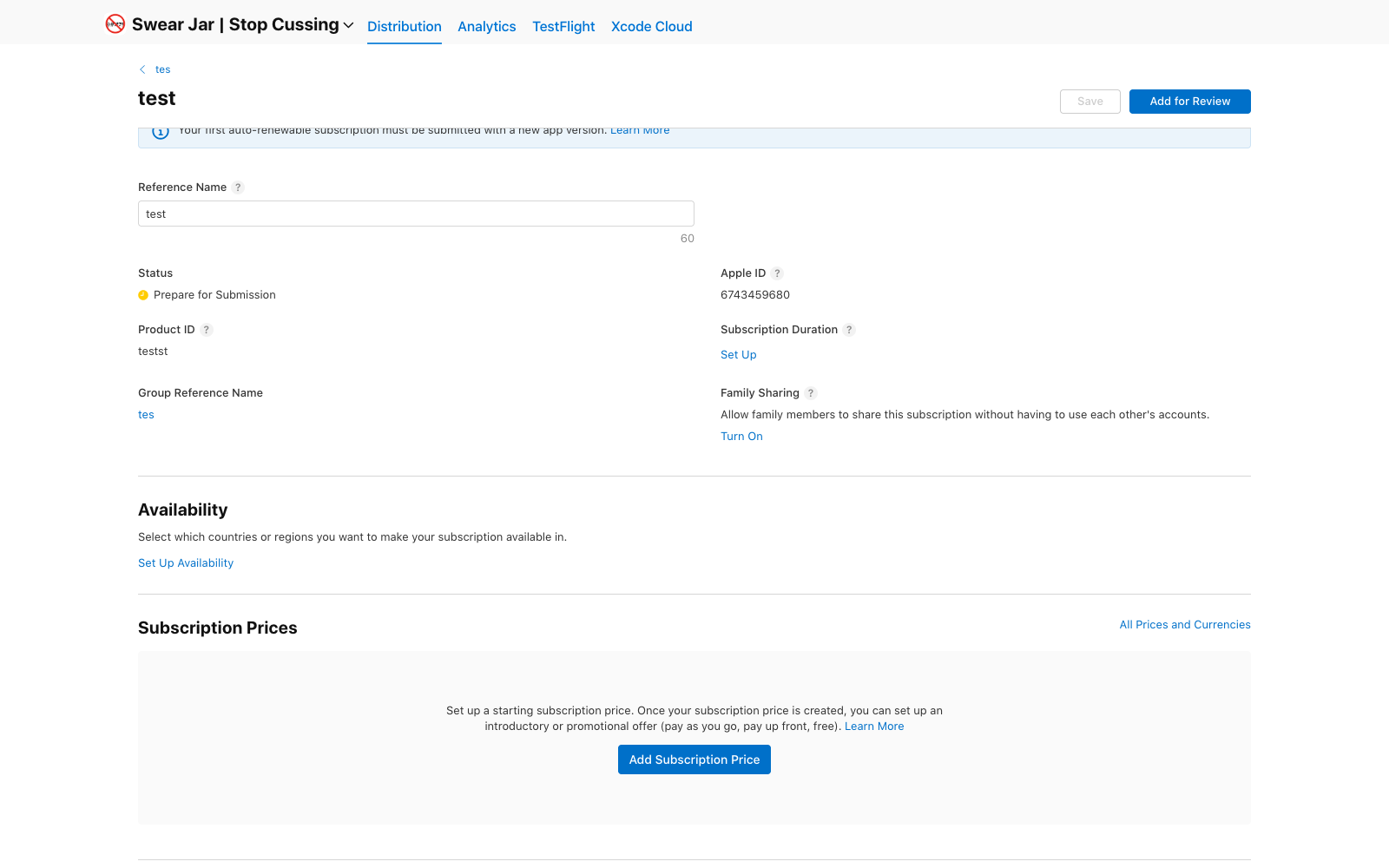
A subscription right after creation: the product exists, and everything that makes it sellable still waits, duration, availability, prices, localizations. Apple's banner also notes the first subscription ships with a new app version.
What you can create programmatically with the App Store Connect API
More than most people expect. The v2 in-app purchase endpoints and the v1 subscription endpoints now cover creation, metadata, localizations, price schedules, territory availability, introductory and promotional offers, offer codes, review screenshots, and submission state. Recent API releases moved purchase metadata onto version resources, so localizations and review images attach to a draft version that goes through App Review as a unit.
The leftovers involve identity and money, which is why they resist automation: the agreement and its banking and tax forms belong to the Account Holder in the web UI, sandbox testers are created there too, and the first purchase of each type rides along with an app version submission. Small steps, but they are the ones that stall you when you discover them at 6pm.
This is development work, not release work
All of this lands during development, not at release. Sandbox testing on a device queries real App Store Connect records, so you need the products the same week you write the paywall. Mid-feature, you stop writing Swift and start doing account administration: JWT auth, price point lookups, a price POST per territory, a screenshot upload flow. Or forty minutes of clicking through the web UI, repeated for each product.
That makes it a delegation problem. Your coding agent should not do this part itself, because it would need your App Store Connect keys plus all the plumbing above. It should hand the task to an operator that already has both.
Delegating it in one request
Lance is an App Store Connect operator your coding agent reaches over MCP. Setup is one line:
npx add-mcp https://api.lance.app/mcp
Once connected, the agent building your paywall asks through ask_app_manager in plain language: "create a $4.99/month subscription called Pro in a new subscription group, with a 7-day trial." The acknowledgment comes back immediately, so the agent keeps coding. In the background the operator does the work on your real account: subscription group, localization, the subscription itself, per-territory prices, the trial offer, a review screenshot. It fills in what is missing, never overwrites values that already exist, and reports back with a receipt the agent collects via await_reply.
The preflight and the artwork are covered by the same toolset. get_account_health reports a pending Paid Applications agreement before you burn an hour on empty product arrays, since that step needs your Account Holder rather than an API. generate_assets turns a description into a complete app icon pack while you wait.
An end-to-end flow
Mid-build, the whole thing looks like this:
- You ask your agent for a paywall. It writes the StoreKit 2 code against
com.yourapp.pro.monthlyand adds a StoreKit configuration file so tests run locally without App Store Connect. - It calls
get_account_health. The Paid Applications agreement is unsigned, so it tells you to have your Account Holder accept it, the one genuinely human step. - It sends the
ask_app_managerrequest above and keeps building the restore-purchases path while the operator works. - Minutes later
await_replyreturns the receipt: group created, Pro at $4.99/month with a 7-day introductory offer, en-US localization, screenshot uploaded, state Ready to Submit, plus a note that the first subscription must go out with your next app version. - Once the metadata propagates, you test the purchase on a device with a sandbox account.
The paywall and the products it queries get built in the same session, each half handled by the agent suited to it. Setup for Claude Desktop and other clients is at lance.app/install.